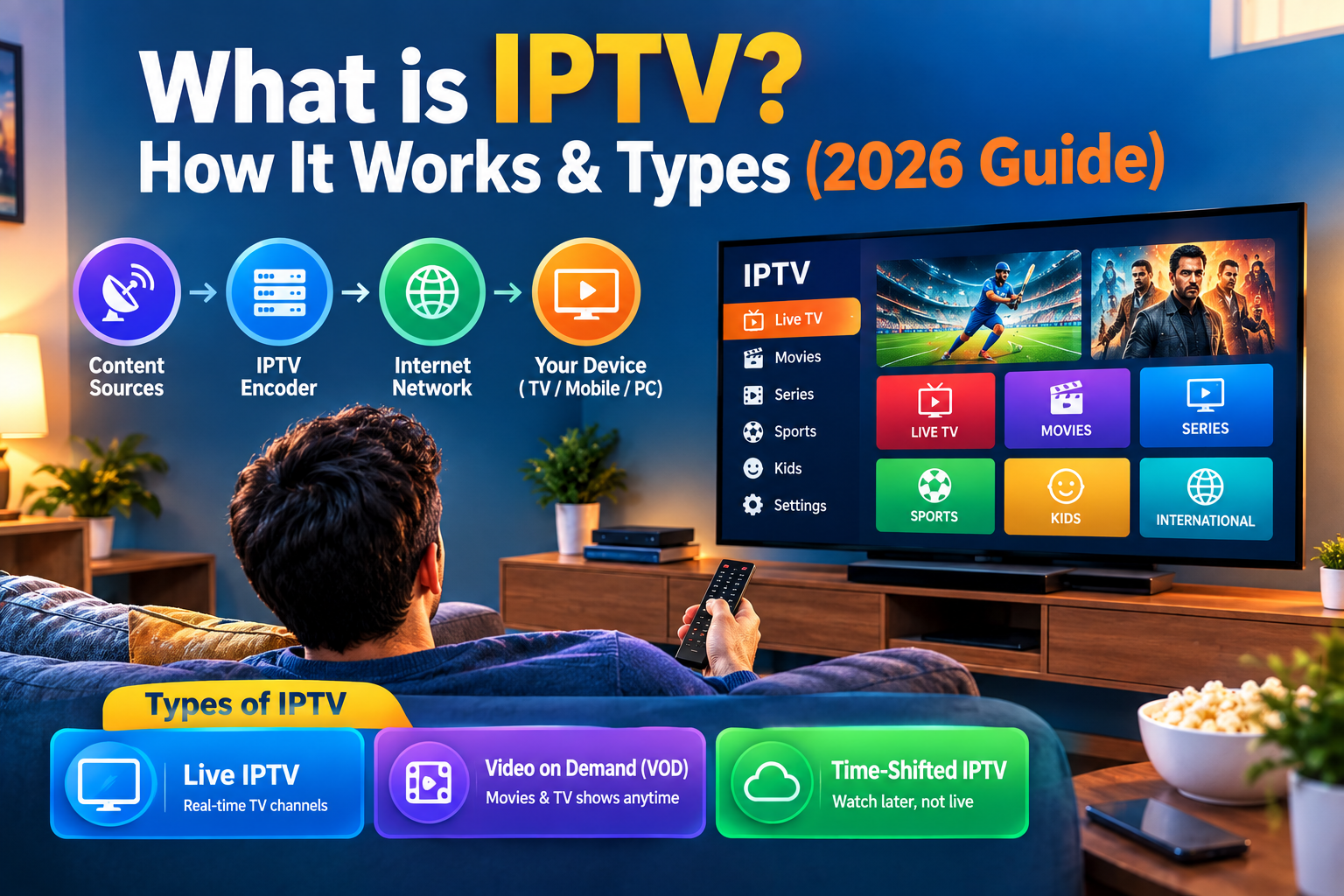
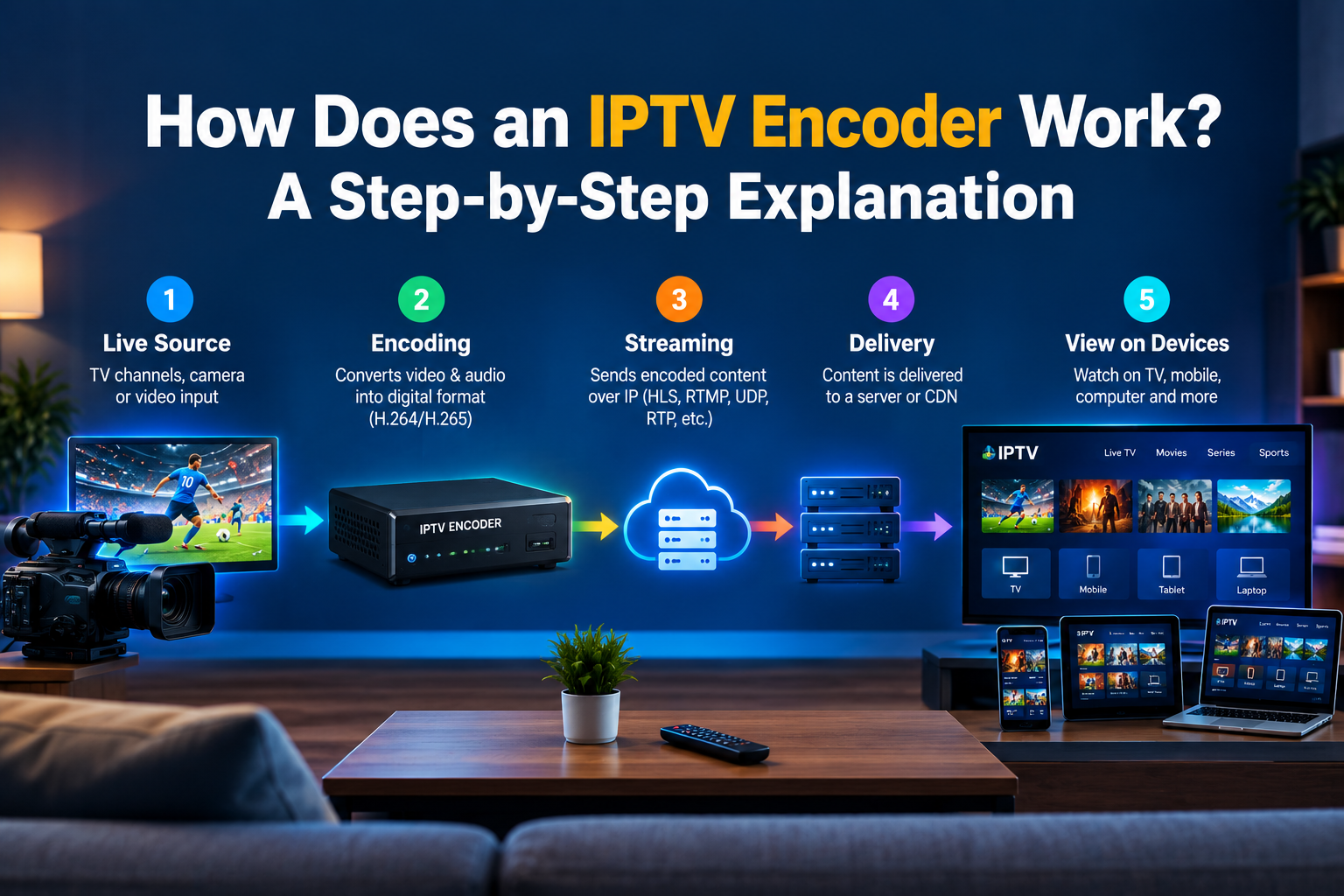
If you have ever wondered what IPTV is and how live television might come to your screen over the internet, an IPTV encoder plays a major role in the system. It converts video and audio into a digital format that can be transmitted over the network efficiently. An IPTV service uses this method to get the content ready for streaming on smart TVs, computers, mobile phones, and other compatible players.
What Is an IPTV Encoder?
IPTV encoder could be hardware, software, or both that changes a video signal into a compressed digital format suitable for delivery via the Internet.
The camera, TV feed, satellite receiver, or any other source may produce raw video, which is very large and so cannot be sent directly through a network. The encoder takes this content, applies a video codec, and finally creates an IPTV stream, which can be sent to viewers.
Getting an encoder is a must for live broadcast, as it is the one that makes live video ready for real-time distribution.
How an IPTV Encoder Works, Step by Step
The IPTV encoding process is a video translation of a video signal into a compressed IPTV stream over the internet. Every step of this video translation is helpful in providing good quality images, optimal bandwidth consumption, and good streaming.
Step 1 – Capture the Raw Video Signal
Although streaming a raw video source, for example, from a professional camera, satellite TV, set-top box, PC, or media server, it can result in a huge amount of data. The first step in the process is to intake this uncompressed video signal.
Step 2 – Compress It With a Video Codec (H.264/H.265)
The IPTV encoder creates the video with a video codec like H.264 or H.265 (HEVC). The video compression offers a smaller file size with tolerable video quality so that the IPTV stream becomes more manageable to deliver over different network speeds.
The codec you choose depends on:
- Device compatibility
- Resolution requirements
- Available bandwidth
- Bitrate settings
- Processing power
Step 3 – Package It Into a Stream Format
The encoder continues to work after compression by wrapping the video, it puts the audio and video bits together that can be streamed. It also inserts timestamps, metadata, and segmented parts to give the streaming server a stable content delivery channel, which it can send the video live and on demand.
Step 4 – Deliver It Over the Network (RTMP/SRT/HLS)
The IPTV stream that was created using the packages is now distributed through the network with the help of streaming protocols such as RTMP, SRT, or HLS. A streaming protocol basically works as the transmission channel between the server and client for any multimedia content such as video and audio.
These protocols were developed to suit various types of streaming requirements, and the choice of one is based mainly on the trade-off of four aspects, i.e., latency vs. reliability, vs. compatibility, and vs. performance. It is best to have a good, uninterrupted internet connection and enough bandwidth for the smooth playback of the stream.
Step 5 – Decode It on the Viewer’s Device
The decoder at the viewer’s device gets the compressed content and decompresses it into playable video and audio streams. So you are able to enjoy watching your favorite series on a smart TV, IPTV box, smartphone, PC, or IPTV player.
Encoder vs. Decoder: What’s the Difference?
|
Feature |
Encoder |
Decoder |
| Main Purpose | Converts video into a streamable format | Converts the stream back into playable video |
| Input | Video and audio source | Encoded data stream |
| Output | Compressed IPTV stream | Decoded video and audio |
| Direction | Source → Network | Network → Viewer |
| Common Use | Broadcasting and video streaming | Playback |
| Example | Hardware IPTV encoder | Smart TV or IPTV player |
Hardware vs. Software IPTV Encoders
IPTV encoders mainly come in two types, which are hardware and software. A hardware IPTV encoder is a standalone device that can only be used for encoding. A software encoder is used by a computer or server to do the same.
|
Feature |
Hardware IPTV Encoder |
Software IPTV Encoder |
| Main Function | Dedicated video encoding | Encoding through software |
| Performance | Consistent dedicated processing | Depends on computer or server resources |
| Video Quality | High and consistent when properly configured | Depends on software and hardware |
| Setup | Usually straightforward | Requires compatible system and configuration |
| Cost | Generally higher upfront cost | Often lower initial cost |
| Portability | Requires dedicated equipment | Can run on suitable computers |
| Best For | Professional broadcasting and multiple channels | Smaller setups, testing, and flexible workflows |
Key Specs That Actually Affect Your Stream Quality
Choosing or configuring an IPTV encoder involves more than selecting a device. Several technical specifications directly influence stream quality.
-
Video Codec (H.264 vs. H.265)
The video codec determines how efficiently video data is compressed.
H.264 offers broad compatibility, while H.265 can provide greater compression efficiency. However, device compatibility should always be checked before choosing H.265.
-
Bitrate
Bitrate is a measure of the amount of data used to represent video per second. A higher bitrate is like the video taking bigger breaths,, and it can retain more details, but it also needs the viewer to have a higher Internet speed. If the video bitrate is too low, then the image might be blurry or look like it’s made of blocks, similar to when you zoom too much in a photo.
-
Resolution and Frame Rate
Resolution indicates the number of pixels in a video, whereas frame rate means the number of frames shown per second.
We often hear the term resolution used to talk about:
- 720p
- 1080p
- 1440p
- 4K
Typically, greater resolution and frame rates result in more demanding processing and bandwidth requirements.
-
Latency
Latency refers to the lag or time difference from the original video source to the point where it is displayed on the viewer’s screen.
Much of the time, getting low latency can be really critical for things like sports coverage, breaking news updates, live events, or interactive transmissions. But decreasing latency often comes with some compromises, such as more buffering or less reliability in the delivery of the content.
-
Output Protocol
Different codecs also influence the decision between RTMP, SRT, and HLS, and each has a role to fulfill in the streaming pipeline. The decision you make should align perfectly with the capacities of your streaming server and the viewer’s platform.
Do You Need an Encoder as an IPTV Viewer?
If you simply want to watch IPTV, you do not need to purchase or operate an IPTV encoder. You generally need a compatible IPTV service, an IPTV subscription, a suitable IPTV player, and a supported viewing device.
You can watch IPTV on a range of devices, including a smart TV, smartphone, tablet, computer, Fire TV or similar streaming device, IPTV Box, or set-top box. Your choice mainly depends on which devices are supported by your IPTV service and how you prefer to watch your content.
The encoding process normally takes place before the content reaches you. The provider’s system handles the encoding and distribution, while your device uses a decoder to process the incoming IPTV stream and play the video.
For example, someone watching Indian IPTV Channels does not normally need an encoder. The content provider takes care of the encoding and delivery, while the viewer’s IPTV player or compatible device receives, decodes, and plays the stream.
Conclusion
An IPTV encoder is a crucial tool in modern internet television. It accepts the video signal, compresses it using one of the modern video codecs such as H.264 or H.265, encapsulates the video, and sends it over a network.
Encoder choice and encoder settings affect video quality, bandwidth consumption, latency, and reliability, largely for broadcasters, viewers only interact with the encoder, which is generally part of the provider’s infrastructure rather than something they need to run themselves.
Whether the content is live broadcasts, sports, entertainment, or Indian IPTV channels, knowing a lot about that can actually tell viewers that it is really the encoder’s work to prepare that stream so they can get to see it right on their screen.
Frequently Asked Questions
Do I need an encoder to watch IPTV?
No, nearly all users only need an IPTV service or a provider that offers a subscription to be able to stream, a compatible player, and a supported device.
What’s the difference between an encoder and a decoder?
The encoder is one of the main tools of compression, which turns original video and audio material into compact digital data that can be delivered via your stream. The decoder, on the other side of the data flow, receives the compressed data and decompresses it to produce the video and audio content.
Is H.264 or H.265 better for IPTV?
Neither format outcompetes the other entirely. H.264 is a safe bet since almost any player supports it, but H.265 will compress images way more effectively with almost the same image quality.
Why does my IPTV stream lag or buffer?
The problem is that the stream that is being delivered to your buffer is being interrupted by several factors, which may include lack of bandwidth, the network is under so much traffic that the servers have to handle, the servers are overloaded, or the bitrate is extremely high.
Can one encoder handle multiple channels?
With high-quality hardware or software encoders, you could do simultaneous encoding of several channels. Though this capability strongly depends on your encoder’s processing power and your input support.